DL501 Clutch Adaptation Step by Step (VCDS Basic Settings) | OK to Send It
OK to Send It
Audi 7-speed S tronic DL501 (0B5) · VCDS

DL501 clutch adaptation, step by step

Four adaptations relearn the main pressure valve, the clutch valves, the shift-fork position sensors, and the kiss point of both clutches. Run them after a fluid service, mechatronic or clutch work, any transmission software update or tune, or when take-offs and shifts turn harsh. Everything happens in VCDS (Ross-Tech's diagnostic software), in 02 – Auto Trans → Basic Settings – 04.

What you need

  • Model: bTres S1 or S2 (1920x480 wide screen). The M1 is not as wide and the X1 is 800x480: these screens are not made for them.
  • Firmware: bTres firmware v2.08 or newer for the peak and low readouts that only record on hard pulls (reported in the owners group: threshold min/max arrived in v2.08; we have not tested older firmware).
  • Data: DS1 plugged in.
  • Back up first: download and keep your own custom screens and images.
  • Uploads go to the end of the list: delete all and reload in order, then restart.
Works only while the DS1 is plugged in

The screen gets the fluid temperature, idle, gear and wheel speed from the DS1 (Dyno Spectrum's data-logging tuning module) through the bTres. VCDS needs the same OBD port. When you unplug the DS1 to start VCDS, the screen stops working: the numbers stop updating until you plug the DS1 back in.

How to use it: with the DS1 plugged in, use the screen to get the fluid temperature into the window and the car into the right conditions (engine running, at idle, in P, stopped). When it says CONDITIONS MET - RUN VCDS, unplug the DS1, start VCDS, and run the adaptation using VCDS's own readings. Keep checking the fluid temperature in VCDS (02 → Adv. Meas. Values → Transmission fluid temperature), and the selector, voltage and faults too.

What the screen cannot do then: it cannot warn you if the fluid leaves the 40–60°C window, it cannot show the idle rise or dips in steps 2 and 4, and anything still showing on it is old. A green screen after you unplug the DS1 is not a live check. We do not know a way to run the DS1 and VCDS on the car at the same time, and have not tested one.

Beta: 100% untested

This screen has only been checked against simulated and logged readings. It has been loaded on one car but never used for a real adaptation. Green does not mean safe: it cannot see the selector (gear 0 looks the same in P and N), it takes the fluid temperature from a value the engine controller sends, which has not been compared with the VCDS reading, and it does not watch battery voltage. Check the temperature, selector, voltage and faults in VCDS yourself.

We need a beta tester. If you have an Audi with the DL501 (0B5) and a bTres S1 or S2, try it and tell us what it shows, right or wrong. Tell us in the bTres owners group on Facebook, with your car, firmware and a photo.

0°C 40 60 80 120 50°C ATF target (122°F)

Before you start

  • ATF 40–60°C, best around 50°C (104–140°F). Watch it live in 02 → Adv. Meas. Values → Transmission fluid temperature. Ross-Tech allows up to 100°C, but one user reports it has to be below 60°C. From cold, about 5 minutes of driving gets there and it can pass 60°C by about 10, so watch the reading.
  • Zero faults in the TCU. Scan 02 → Fault Codes and clear them; also clear engine and other powertrain modules. Any stored fault can abort a step.
  • Fluid level correct. Selector in P, parking brake on, doors closed.
  • Battery healthy. Put a charger on it if the car will sit key-on for a while.

Watch it on the bTres

If you have a bTres display, this screen shows whether the car is ready for each step. Temperatures follow the bTres unit setting, so it reads in °F or °C (both shown here). It uses data the bTres already reads from the DS1: transmission fluid temperature, idle, gear and wheel speed. It only displays; VCDS still runs the adaptations.

Fahrenheit (the bTres set to °F)
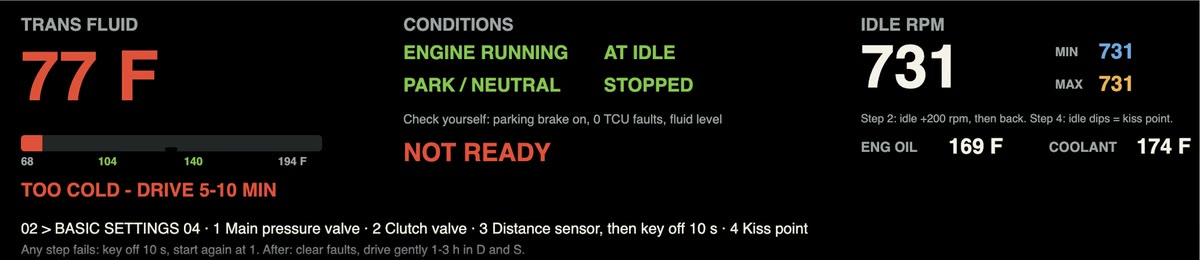
bTres screen, too cold: transmission fluid 77 F in red, TOO COLD - DRIVE 5-10 MIN, banner NOT READY in red
Too cold: 77°F. Drive 5–10 minutes first.
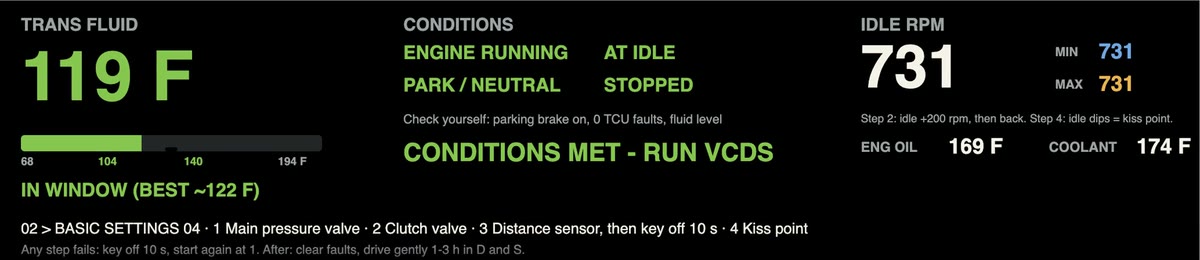
bTres screen, just right: transmission fluid 119 F in green, IN WINDOW, all conditions green, banner CONDITIONS MET - RUN VCDS
Just right: 119°F, in P at idle. Run the step.
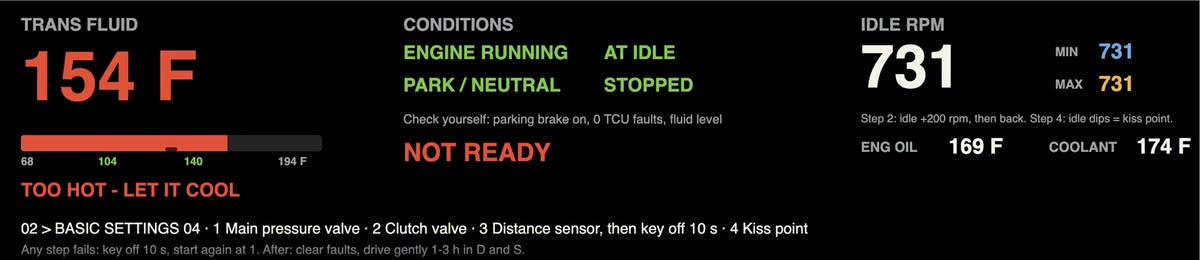
bTres screen, too hot: transmission fluid 154 F in red, TOO HOT - LET IT COOL, banner NOT READY in red
Too hot: 154°F. Let it cool below 140°F.

Celsius (the bTres set to °C)

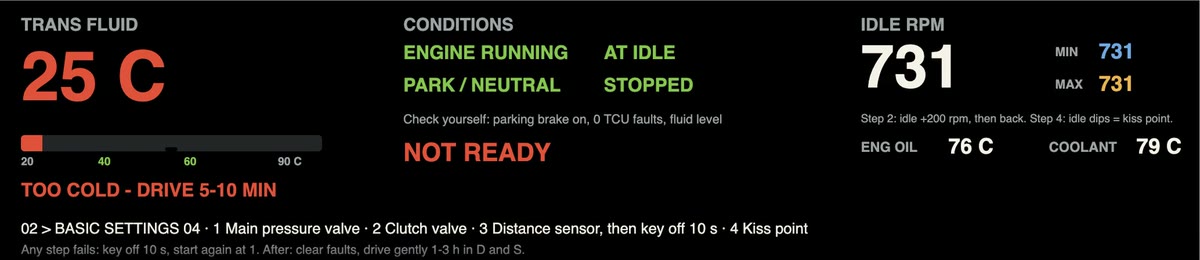
bTres screen, too cold: transmission fluid 25 C in red, TOO COLD - DRIVE 5-10 MIN, banner NOT READY in red
Too cold: 25°C. Drive 5–10 minutes first.
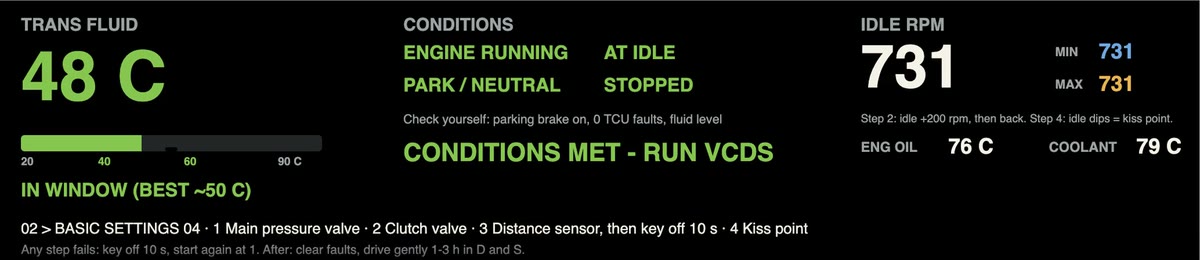
bTres screen, just right: transmission fluid 48 C in green, IN WINDOW, all conditions green, banner CONDITIONS MET - RUN VCDS
Just right: 48°C, in P at idle. Run the step.
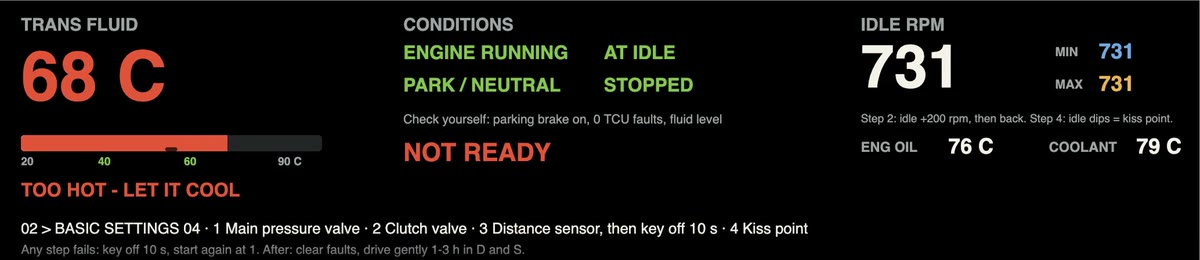
bTres screen, too hot: transmission fluid 68 C in red, TOO HOT - LET IT COOL, banner NOT READY in red
Too hot: 68°C. Let it cool below 60°C.
  • Green: ready, run the step
  • Yellow: one condition short; the banner says which (too hot shows red)
  • Red: not ready

Idle RPM keeps a minimum and maximum, so you can see the idle rise in step 2 and the kiss-point dips in step 4.

Needs the DS1 plugged in. The screen stops updating when you unplug the DS1 to start VCDS. See the note above for how to use it.

Download the bTres screen (beta, .zip, 3 KB) How to add screens to the bTres S1/S2 Build your own bTres screen

To install it, join the bTres Wi-Fi (password betterthan (the default; yours may differ)), open http://192.168.220.1, choose Custom Screens, upload the screen_adaptation_helper.json from the zip, then restart the bTres. Or import the zip in the bTres Screen Editor (Import/Export Screen → Import Screen ZIP).

The whole run at a glance

The four adaptations, in this order. Start the engine and stay in P for all four.

Engine running, in P Failed step → loop back

Swipe sideways to see every step →

THE FOUR ADAPTATIONS 1Main pressurevalve calibration 2Clutch valvecalibration 3Distance sensorcalibration 4Clutch engagement/ kiss point 5Clear faults,drive 1–3 h key off 10 s, restart any of 1–4 fails → key off 10 s, start over at 1

Note: Ross-Tech’s own list is shorter than the four steps below: it has no main pressure valve or kiss point step. The order here follows ECS Tuning and OBDeleven users.

The four adaptations

If any step fails, key off 10 s, reopen 02, start again at step 1.
1

Main pressure valve calibration

Engine running, P
Start the engine, stay in P → 02 – Auto Trans → Basic Settings – 04 → Main pressure valve calibration
  1. Click Go!
  2. Wait for Finished Correctly, then Stop.
  3. Stay in Basic Settings.
2

Clutch valve calibration

Engine running, P
Basic Settings – 04 → Clutch valve calibration
  1. Click Go!
  2. Wait for Finished Correctly, then Stop.
  3. Stay in Basic Settings.

Expect: idle rises on its own by about 200 rpm, then drops back. Clutch pressures climb toward roughly 20 bar if you watch them. Takes a minute or two.

3

Distance sensor calibration

Engine running, P
Basic Settings – 04 → Distance sensor calibration
  1. Click Go!
  2. Wait for Finished Correctly, then Stop → Done, Go Back.
  3. Turn the engine off. Key off for 10 seconds, then start the engine again.

Expect: clunks and clicks as it runs the shift forks through every gear, and a little shake in the car. That is normal. About a minute.

4

Clutch engagement / kiss point adaptation

Engine running, P
Wait for the chimes to stop → 02 – Auto Trans → Basic Settings – 04 → Clutch engagement point adaptation
  1. Click Go! (status shows Running).
  2. Wait for Finished Correctly, then Stop → Done, Go Back.

Expect: clutch 1 pressure creeps up until the idle dips, then falls off fast. That dip is the kiss point. Then clutch 2 does the same, near 2 bar. Seconds to a minute.

Step 5 · Clear faults and drive it in

Clear, then drive gently

  1. Key off 10 s, key on. 02 → Fault Codes: read, then clear. Clear the other powertrain modules too.
  2. Drive normally for 1–3 hours. No launches or hard pulls until it has finished.
  3. Mix D and S so both clutches see work.
  4. Rescan for faults when you get back.

Watch it finish

02 → Adv. Meas. Values, search “clutch”, add:

  • Adaptation status of the engagement point clutch 1
  • Adaptation status of the engagement point clutch 2

Done when both read completed or adapted. To speed it up, use manual mode and hold a steady 1,800–2,000 rpm in each gear for a while:

1234567R

■ clutch 1 · odd gears   ■ clutch 2 · even gears + R. A steady cruise in 4th, then 5th, covers both.

Common problems

  • Fix stored faults first. With a stored TCU fault, a step can stop with “exited due to reasons of safety”. A fault that clears itself on restart often points to wiring, such as fluid in the transmission's electrical connector; an adaptation won't hold until that is fixed.
  • Check after shop work. Adaptations are easy to skip. After any transmission work, read the two status values under “Watch it finish”.
  • Run all four again after a TCU software change. A new calibration or tune changes clutch pressures, so the old kiss points no longer match.
  • Use VCDS if you can. On OBDeleven, pick “Calibration” from the dropdown before you start; some users still hit “exited due to reasons of safety”.

Related pages